
A social network, not a safety certificate
FetLife is a social network for adults interested in kink and fetish, launched in 2008. Its current terms name BitLove Inc. and BitLove Ltd. as operators, while its contact page lists the headquarters of BitLove Inc. in North Vancouver, Canada.
The service describes itself as a social network rather than a dating site. That distinction is useful when deciding what to expect: an account can be used to follow discussions or look for community information, without offering to meet anyone. A profile, friendship connection or shared interest does not mean that a person welcomes private messages, photographs or invitations.
The terms require members to be at least 18. Membership is not evidence that an individual has been assessed as trustworthy, and this guide does not certify any member, group or event. Read the service's current rules as well as an organiser's own information. You can decide that an account would create more privacy concerns than benefits and use public educational resources instead.
If a conversation moves to a call, consider privacy, recording and reporting in video dating safety.
Profiles, feeds and conversations
Profiles let members describe interests and connections. Treat that material as a person's chosen presentation, rather than a verified account of their character, qualifications or experience. If someone uses an unfamiliar label, look it up and ask what they mean before making assumptions. You need not supply a complete personal history to make your own profile understandable.
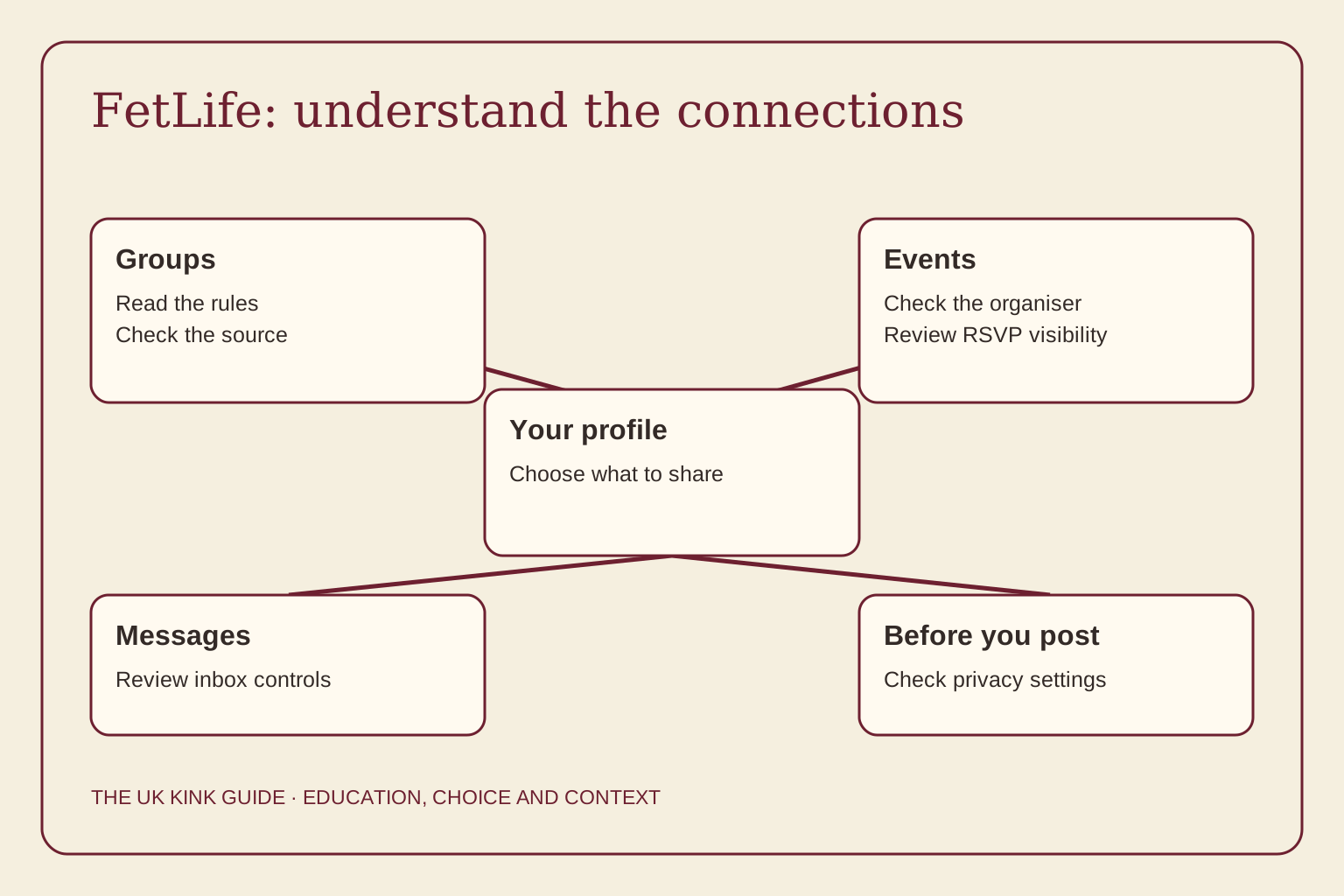
Groups provide discussion spaces, while events list gatherings and allow RSVPs. Messages create a more direct channel between members. The service also has a Kinky & Popular feature: popularity is a feature of visibility, not a professional recommendation. Content surfaced by a feed should not determine your boundaries or persuade you that an unfamiliar activity is safe.
Read a group's rules before contributing. Check who moderates it, whether questions receive respectful answers and how concerns can be raised. A large group can still contain conflicting advice. Separate a contributor's personal experience from a medical or legal claim, and follow the original source when an answer could affect your health, privacy or rights.
Using listings in the UK
The platform's public description includes local events, workshops and munches. For UK readers, our munch guide explains how to approach a social gathering, and the UK events guide covers questions to ask organisers. Neither a listing nor an RSVP is an endorsement from this site.
Before travelling, check the organiser's current venue, access information, cancellation terms and consent policy through their own published contact route. Ask whether attendance requires an account, a ticket or advance registration. Keep the distinction between finding a listing and deciding to attend: you can research an event without announcing that you plan to go.
Consider the visibility of your interest before using an RSVP button. A seemingly ordinary social plan can reveal a connection to a community that you would prefer to keep private. Agree with anyone accompanying you what can be shared, photographed or tagged. Their comfort with public attendance may differ from yours, even when you are going together.
Six settings to review before posting
Use the FetLife privacy-settings guide as the main next step. Its checklist covers search visibility, the audience for pictures and videos, event RSVPs, tagging requests, inbox settings and two-factor authentication. Review these before uploading identifying material, then revisit them when your circumstances or the service changes.
Picture privacy is set through the picture's Options, Edit and privacy controls. FetLife's help page distinguishes FetLifers, Friends & Followers and Friends; it also says that an avatar remains visible to all FetLifers. An audience setting therefore needs to be checked for each kind of content, rather than assumed to apply uniformly across your account.
Under Privacy Settings, Requests controls who can send tagging requests. The help page says a change applies to new requests, so check anything already pending separately. Inbox privacy is another control, with its own choices about contact. Restricting messages does not make previously published content private, and deleting a conversation is a different action from reporting threatening behaviour.
Two-factor authentication adds a further sign-in step. FetLife's instructions place Enable beside 2FA in Account Settings and use an authenticator app. Keep recovery codes somewhere private and accessible to you. A stronger login helps protect account access, but it cannot prevent an authorised viewer from copying something they can see.
RSVPs and the limits of hiding
FetLife's Event RSVP Privacy announcement describes audience choices ranging from All FetLifers to Only Me. The important limitation is that this setting affects your profile and activity feed. The announcement expressly says it does not hide your RSVP from the event listing itself.
Before deciding that an attendance plan is private, check the event page as well as your own profile. Ask the organiser what they display and whether there is another way to register. If being identified at a particular event would create a serious problem, do not rely on an audience label as a guarantee of secrecy.
The same principle applies to photographs and connections. A face, familiar room, distinctive clothing, reused username or linked friendship can make an account recognisable. You can limit what you publish, but you cannot know everyone who may recognise it. Sharing less is an available choice, not a failure to participate properly.
History and platform limits
The historical account cited here records a January 2008 launch and the removal of hundreds of groups in 2017 after payment-processor pressure. Those events help explain why a community platform's rules and available features can change for reasons beyond individual members' preferences. They do not establish what today's rules permit.
The same account describes deliberately restricted search, including limits on finding members by age or gender. Do not mistake limited discovery tools for anonymity. Someone may already know an account name, encounter a connection or recognise a photograph. Check current help information for the feature you intend to use instead of relying on an old tutorial.
Keep a copy of information you need for your own planning, such as an organiser's contact route, without collecting other people's private material. A change to a group, account or payment arrangement can remove a familiar route to information. If a rule is unclear, ask the platform or organiser rather than testing it with sensitive content.
Blocking, reporting and meeting
FetLife's blocking guidance says a block restricts many interactions, but lists exceptions including some group discussions, event discussions and RSVPs. It also changes earlier exchanges, including archiving private messages for the person who blocks. If you need evidence of threatening messages, consider how to preserve it safely before changing the account relationship.
A block is a boundary tool, not a promise that contact can never recur. Use the platform's report route for attempts to evade a block. For plans to meet, read dating-app safety and the safecall definition. Keep an independent way to leave and do not let shared online interests replace a conversation about the actual meeting.
You do not owe an explanation for declining contact. If a conversation becomes threatening or involves intimate-image demands, use the reporting and support routes in our safety guides. The responsibility for harassment belongs to the person doing it. Privacy precautions are choices that may reduce exposure, not conditions you must meet to deserve support.
Leaving or taking a break
The account-deletion guide explains the current distinction between taking a break and removing an account. Read the service's own instructions before proceeding, especially if you need records of a report or access to an event booking. Do not assume that closing an account recalls screenshots or material copied elsewhere.
You can also stop posting while you decide what you want. Review connections, pending requests and the information visible on your profile. A useful decision is one that suits your current privacy needs; remaining on a platform is not necessary to validate an interest or maintain every friendship.
Common questions
Is FetLife free?
FetLife describes core interaction as free, with optional supporter features. No current paid price is quoted here; check its own offer before paying.
Is FetLife safe?
Privacy and blocking controls can reduce some exposure, but cannot certify a person or prevent every misuse. Check their limits and use your own boundaries when deciding what to share.
Can my employer see my profile?
Do not assume a profile cannot be recognised by someone from work. Audience settings cannot prevent every screenshot or connection being identified.
How do I hide my RSVPs?
Review Event RSVP Privacy in Privacy Settings for your profile and activity feed. FetLife says this does not hide your RSVP on the event listing itself.